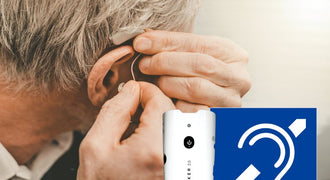


wifi assistive listening: Let Guests Use Their Own Phones
- 11 Nov, 2026
wifi assistive listening sends a venue’s audio over its Wi-Fi network to a listening app on a guest’s smartphone or to a compatible venue-provided receiver. It gives listeners a personal audio feed rather than relying only on sound from room loudspeakers. For churches, schools, meeting spaces, and other venues, it is one option within a broader range of assistive listening systems.
Key takeaways
- A smartphone-based system needs an audio source, a Wi-Fi audio server, a suitable network, and a compatible listening device.
- Bring-your-own-phone access and venue-provided receivers address different guest needs; plan for both during purchasing.
- The Listen EVERYWHERE LW-100P-02 provides two audio channels and is described as supporting up to 1,000 users.
- Evaluate the entire listening experience, including app setup, network access, headphones, and staff assistance.
- A server’s stated user capacity is not a substitute for checking your venue’s network under realistic conditions.
How wifi assistive listening works
A typical setup takes an audio feed from the venue’s sound system and passes it to a Wi-Fi audio server. The server makes that audio available over the network, and a compatible app or receiver lets the listener select and hear it.
The practical signal path is: venue audio source, Wi-Fi audio server, wireless network, listening device, and the listener’s chosen compatible audio output. Each part matters. A clean sound-system feed cannot compensate for an unreliable network, and a good network cannot fix an unclear source.
This is different from simply turning up the room speakers. A personal listening feed gives the guest a separate way to hear the program. The result still depends on the source audio, network performance, listening device, and headphones or other supported connection.
What does the assistive listening app do?
An assistive listening app is the listener-facing part of a smartphone-based system. It receives the available audio stream and provides access to the program the guest wants to hear. Exact setup steps, supported phones, and available controls depend on the system and app.
For Listen EVERYWHERE, the supplied product description specifies a free mobile app and streaming to guests’ devices. Before publishing guest instructions, confirm the current app requirements and test the complete process on the phones your visitors are likely to use.
Guest smartphones or venue-provided receivers?
Do not treat this as an either-or decision. Personal phones can make listening familiar for some visitors, while a venue-provided device offers another route for someone who cannot or does not want to use a phone.
| Planning point | Guest smartphone | Venue-provided Wi-Fi receiver |
|---|---|---|
| 🎧 Listening device | ✅ Guest supplies a compatible phone | ✅ Venue supplies a compatible receiver |
| 📱 App preparation | ✅ Confirm app and phone compatibility | ✅ Confirm receiver setup |
| 🔋 Battery planning | ⚠️ Depends on the guest’s device | ✅ Managed by venue staff |
| 🛟 Guest support | ✅ Phone, app, and network assistance | ✅ Checkout and operating assistance |
| 🎧 Listening accessories | ✅ Check phone and accessory compatibility | ✅ Check receiver and accessory compatibility |
A useful purchasing question is not just “How many people own smartphones?” Ask, “What happens when a guest arrives without a usable phone, suitable headphones, or time to install an app?” Your answer should be part of the operating plan, not an improvised solution at the door.
Check the network before choosing the system
Wi-Fi is part of the listening system, not merely an installation detail. Involve whoever manages the network before ordering equipment. An existing wireless network gives you infrastructure to work with, but it still needs to support the intended audio service.
Network review checklist
- Listening locations: Identify every seating area and room where guests should receive audio.
- Guest access: Review passwords, sign-in screens, and any restrictions affecting access to the audio server.
- Expected demand: Estimate simultaneous listeners alongside ordinary guest network use.
- Configuration: Have the network administrator review the audio system’s current networking requirements.
- Realistic testing: Walk the listening areas and test during representative venue activity.
- Responsibility: Decide who handles network changes and audio problems after installation.
A stated server capacity is not a promise that every existing wireless installation can support that audience. For the LW-100P-02, the product description lists up to 1,000 users; your deployment still needs a network plan suited to its layout and use.
Why latency deserves a listening test
Latency is the delay between the original sound and its arrival at the listener. In a live room, a guest may hear both the room sound and the personal audio feed, so delay can affect the experience.
The LW-100P-02 is described as low latency, but judge the installed result rather than relying on that phrase alone. Test the actual source, network, phone or receiver, and listening accessory together, with someone speaking live in the room.
Choose a server and build the right kit
The Listen EVERYWHERE two-channel Wi-Fi assistive listening server, SKU LW-100P-02, connects to an existing Wi-Fi network and streams audio to guests’ devices through a free mobile app or to venue-provided Wi-Fi audio receivers.

Its product description lists two channels per server, stackable operation, support for up to 1,000 users, and consumer and professional inputs. Those are useful starting points for a venue evaluating multiple audio programs or planning its expected audience.
The included items are:
- One LW-100P-02 two-channel Wi-Fi audio server with power supply.
- One 6-foot RCA cable.
- One 6-foot CAT6 cable.
Build the rest of the kit around your operating needs. Confirm the connection from your sound system, the network installation, compatible receivers, and listening accessories before ordering. The listed package contents are the server, power supply, and cables—not a complete inventory of guest listening devices.
The server also supports cloud-based management, including custom welcome message videos or logos and sliding banners. These features can support a venue-branded experience, but clear listening instructions should remain the priority. The product page shows current pricing.
Purchasing checklist
- Define the audio programs guests need to select.
- Confirm the source outputs and required input connections.
- Have your network administrator review the planned installation.
- Decide how many venue-provided listening devices you need operationally.
- Verify receiver, headphone, and other accessory compatibility.
- Confirm the complete equipment list rather than ordering the server alone by assumption.
Make smartphone listening easy for guests
The best assistive listening smartphone workflow is one a first-time visitor can follow without a lengthy explanation. Write instructions around the actual system you install, then ask someone unfamiliar with it to try them.
Keep the guest journey clear: identify where to get help, explain which network to join, provide the verified app information, show how to find the intended audio program, and explain the supported listening options. Avoid publishing untested shortcuts or phone-specific instructions as if they work for everyone.
Opening-day readiness checklist
- Test each available audio channel with the program source connected.
- Check listening access from the seating areas guests will use.
- Prepare staff to help with both personal phones and venue-provided devices.
- Keep receiver checkout, return, cleaning, and charging procedures together.
- Establish a clear handoff when a problem needs the audio or network team.
For accessibility planning, separate product selection from your venue’s obligations. Have the responsible facilities or accessibility team review the complete arrangement, including the listening devices and accessories you will provide. Do not make the app the only path guests can ask staff about.
Frequently Asked Questions
Does Wi-Fi assistive listening use Bluetooth?
Wi-Fi carries the audio from the venue’s network to the listening device. Any connection between a phone and its headphones is a separate part of the signal path. Confirm the intended headphone setup and test the whole path for delay and usability.
Is the Listen EVERYWHERE assistive listening app free?
Yes. The LW-100P-02 product description specifies a free mobile app for streaming audio to guests’ devices. Confirm current device compatibility before preparing instructions for your audience.
Can guests listen without using their own smartphones?
Yes. The LW-100P-02 supports streaming to venue-provided Wi-Fi audio receivers as well as guests’ devices. Confirm compatible receiver models and accessories when assembling the system; receivers are not listed among this server package’s included items.
How many channels and users does the LW-100P-02 support?
The product description lists two channels per server, stackable operation, and up to 1,000 users. Plan the wireless network separately so the server’s stated capacity is not mistaken for a guarantee about your existing installation.
Can we use our existing Wi-Fi network?
The LW-100P-02 is designed to use an existing wireless network. Have your network administrator review configuration, guest access, listening-area coverage, and expected demand before installation, then test the system in its intended locations.
What should we test before making the system available?
Test the live audio source, each offered channel, network access, app workflow, venue-provided receivers, and intended listening accessories. Include a first-time user and a staff member so the test covers both sound delivery and the help guests may need.
Ready to compare your venue’s options? Explore our assistive listening equipment collection and choose a setup around your audio source, network, guest devices, and day-to-day support plan.