
Different solutions for Meetings & Classroom Microphones
- 14 Feb, 2021
Quick answer: what are the best classroom microphones for hybrid and distance learning?
The best classroom microphone for hybrid teaching is one that picks up the whole room, not just the teacher: an array microphone or a ceiling microphone, connected to the computer that runs Zoom, Microsoft Teams or Google Meet. Students at home then hear questions from anywhere in the classroom. For meeting rooms, a push-to-talk system with a USB connection does the same job for hybrid meetings.
- Array microphone near the board: captures questions from every direction (Voice Tracker III).
- Ceiling microphone for medium and large rooms (Sennheiser TeamConnect Ceiling 2).
- Push-to-talk conference system with USB-C for meetings and panels.
How can new technologies assist schools in integrating in-person students with homeschooled ones when schools reopen after COVID-19?
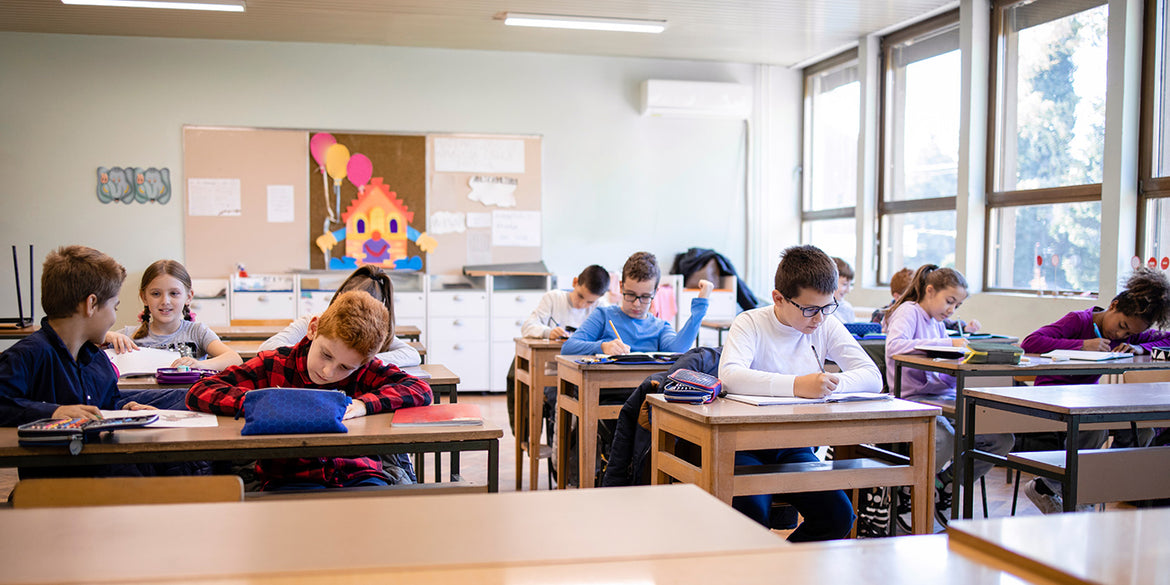
Homeschooling children during the COVID-19 crisis is forcing schools to reimagine their approach to education, placing a higher emphasis in technological innovations that may lead to lasting changes when schools welcome back their students in the fall.
Some schools are considering a blended approach for 2020-2021 school year with both in-campus, as well as off-campus virtual school options for families concerned about their child returning to the classroom next school year.
So, what technologies need to be in place tointegrate both in-person and homeschooled students so that both groups of students can participate actively no matter whether they are in school with their teacher or following a virtual class from home?
In addition to schools using existing platforms to deliver lessons for their students such as Microsoft and Google as well as conferencing apps like Zoom or Skype, it’s important that schools offer their students at home the ability to listen clearly not only to their teachers but also to their classmates. Students may ask questions that the whole class needs to hear to maintain the thread of what is being taught and do not leave some students behind. There might be peer assignments with groups consisting of home students and students physically present in the classroom, where they will need to interact fluidly. And many more examples of situations where more than one-way audio is vital to the flow of the lessons.
Microphone Array
And a single computer with a single microphone pointing forward will be enough for the student at home, but not for the classroom, since several audio sources from several directions need to be captured. This is why array microphones will become the standard.
These devices feature a group of microphones aiming in different directions thus covering the whole room at the time; they should be placed near the blackboard pointing outward, enabling home students to listen as if they were right there with the rest of their classmates. These devices work by constantly probing their area of coverage for incoming sounds, and if while sweeping they detect any, the microphone pointing in that direction is automatically enabled to capture it.
Every question, every back and forward, every oral test coming from anywhere in the room will be reproduced in their home computer speakers.
 Classroom Microphone for Zoom
You may visit the Teleconferencing section in our website for various solutions such as the Voice Tracker 3 that is an affordable option with 35 ft nominal range for meeting recording or voice control, and since both Zoom and Skype have robust acoustic echo cancellers, this microphone can be used for distance learning applications as well. Another option is Sennheiser TeamConnect Ceiling 2, which is the perfect fit for mid to large-sized meeting rooms and classrooms as it captures your voice easily within a radius of up to 60 sqm.
if you have any further questions about which solution is best for your school, please contact us at 888-737-4030 or send us an email at sales@conferencemicrophones.com
FAQ's - Different Solutions for Meetings & Classroom:

Yes, they do. You can check the warranty information on each product page.
We do. If you have any further questions about which solution is best for your school, please contact us at 888-737-4030 or send us an email at sales@conferencemicrophones.com. We’ll be glad to assist you.
Array microphones feature a group of microphones, aiming in different directions thus covering the whole room at the time. They work by constantly probing their area of coverage for incoming sounds, and if while sweeping they detect any, the microphone pointing in that direction is automatically enabled to capture it.
Yes, you can totally use these for Zoom or Skype. They are a great choice for distance learning.
Array Microphones should be placed near the blackboard, pointing outward.
Classroom microphones compared
| Option | How it picks up sound | Best for | What to confirm |
|---|---|---|---|
| 📡 Array microphone | ✅ Scans the room and steers one beam to the active talker (Voice Tracker III: 360° field, 35 ft nominal range) | ✅ Classrooms, lectures and meeting recording | ✅ Plug and play; ceiling and wall mount included |
| 🏢 Ceiling microphone | ✅ 28 capsules with automatic beamforming (TeamConnect Ceiling 2: 33 ft coverage diameter) | ✅ Medium and large classrooms and boardrooms | ⚠️ Needs a Dante or analog connection and PoE |
| 🪑 Push-to-talk conference system | ✅ Each person presses a button to speak; the chairman has a priority button | ✅ Meetings, panels and councils with a moderator | ✅ USB-C port on the CU-300USB control unit for Zoom, Teams or Meet |
Microphones for Zoom, Teams and Google Meet classrooms
The Voice Tracker III is an affordable array microphone with eight microphone elements. Its listing recommends it for meeting recording, lecture capture, video conferencing and distance learning, and it includes ceiling and wall mounts. For larger rooms, the Sennheiser TeamConnect Ceiling 2 is a beamforming ceiling array that follows the active talker.


Conference microphone systems for hybrid meetings
For meetings where participants speak in turn, the 6-person USB conference system connects the room to Zoom, Microsoft Teams or Google Meet through the USB-C port of its control unit. The 8-person version adds two more delegate units.


Frequently Asked Questions
What is the best microphone for hybrid teaching?
An array or ceiling microphone, because it captures the teacher and the students without anyone wearing a microphone. Connect it to the computer that runs the video call.
What is the best conference microphone for distance learning?
The Voice Tracker III is listed for distance learning and plug and play. For larger rooms, the TeamConnect Ceiling 2 covers a 33 ft diameter per unit.
Do I need a wireless microphone system for a hybrid classroom?
Not necessarily. Array and ceiling microphones capture the room without a wireless transmitter. If the teacher also wants to move around freely, you can add a headset or lavalier microphone on a wireless bodypack.
Where should I place an array microphone in a classroom?
Near the board pointing outward, as described above. The Voice Tracker III includes ceiling and wall mounting.
Can these microphones be used with Zoom, Microsoft Teams and Google Meet?
Yes. The conference systems with a CU-300USB control unit connect through USB-C, and the array and ceiling microphones are listed for video conferencing.
Do the products come with a warranty and pre-sales help?
Each product page shows its warranty information. You can also call 888-737-4030 or write to sales@conferencemicrophones.com, as described above.
Browse the teleconferencing collection and our education solutions for more options.