

Neckloop for Hearing Aids: Compatibility and Setup Guide
- 26 Oct, 2026
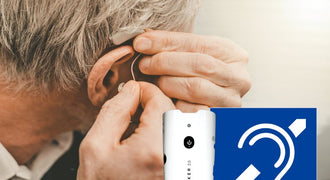
A neckloop for hearing aids is a loop worn around the neck that sends audio magnetically to hearing aids equipped with a telecoil, also called a T-coil. It typically plugs into an assistive listening receiver’s headphone output; the listener selects the hearing aid’s telecoil program to hear that audio. For venues, a compatible neckloop can connect a guest’s hearing aids to an assistive listening system without requiring the guest to replace their hearing aids with headphones.
Key takeaways
- A telecoil neckloop requires a hearing aid with an available telecoil program; Bluetooth capability alone is not enough.
- A matching plug size does not guarantee compatibility. Check stereo or mono operation and the receiver’s output requirements.
- A personal neckloop and a room-installed hearing loop are different ways to deliver audio to a telecoil.
- Test the complete audio path before an event, and train staff to help guests select and use the right equipment.
How a Neckloop for Hearing Aids Works
A telecoil is a small component inside a compatible hearing aid that receives an audio-frequency magnetic signal. A neckloop creates that signal from the audio supplied by a connected device. The hearing aid receives it through the telecoil rather than relying only on its microphones to pick up sound across the room.
In a typical venue setup, the signal path is:
Venue audio source → assistive listening transmitter → compatible receiver → neckloop → hearing aid telecoil.
The wireless portion between the transmitter and receiver is separate from the magnetic connection between the neckloop and hearing aid. The neckloop still has a cable connecting it to the receiver.
This arrangement gives the listener access to the audio being sent through the system. It does not replace the hearing aid’s individual fitting, and it cannot improve a poor microphone feed before that feed reaches the transmitter.
Does every hearing aid have a telecoil?
No. Check the hearing aid model and ask whether its telecoil program is available and activated. A device may have wireless features without having a telecoil. If the user is unsure, their hearing care provider can confirm the available programs and explain how to select them.
You may see a telecoil-only setting described as “T” and a combined microphone-and-telecoil setting described as “M/T.” Labels and controls vary. The combined setting can retain surrounding sound, while a telecoil-only setting focuses on the telecoil input.
Neckloop, Headphones, or a Room Hearing Loop?
These options serve different listeners and installations. A venue should choose the listening accessories around its guests’ needs, not assume that one connection works for everyone.
| Option | Audio connection | Listener requirement | Main setup check |
|---|---|---|---|
| 🧲 Personal neckloop | ✅ Receiver to telecoil | ✅ Telecoil-equipped hearing aid | ✅ Receiver output compatibility |
| 🎧 Headphones | ✅ Receiver to headphones | ✅ No telecoil needed | ✅ Compatible output and fit |
| 🧲 Room hearing loop | ✅ Installed loop to telecoil | ✅ Telecoil-equipped hearing aid | ✅ Installed system coverage |
A room hearing loop creates a magnetic listening field across a designated area. A compatible hearing aid can receive that field directly, without a personal neckloop and separate receiver. A personal neckloop instead creates the magnetic connection around its wearer and depends on the connected audio device.
For a receiver-based venue system, consider both neckloops for telecoil users and compatible headphones for guests who need a different listening option. Confirm what each kit includes before ordering additional accessories.
Compatibility Checklist Before You Buy
If you are shopping for a “neck loop hearing aid” accessory, start with the hearing aid and receiver you will actually use. Compatibility has two sides: the hearing aid must receive the magnetic signal, and the audio device must properly drive the neckloop.
- Hearing aid: Confirm a telecoil is present and its program is accessible.
- Output type: Verify that the receiver has the headphone output required by the neckloop.
- Connector: Match plug size and stereo or mono requirements.
- Output specifications: Check the required power and impedance, not just whether the plug fits.
- Exact equipment: Record the receiver model so staff do not substitute an incompatible device.
- Real-world test: Verify speech audio through the full system before relying on it at an event.
Example: NKL-402 receiver requirements
The Enersound NKL-402 has a 3.5 mm stereo plug and is designed for the Enersound R-120 FM receiver. Its listed requirements for other audio devices are a true stereo headphone output, 6–16 ohms, and a minimum output power of 16 mW.

The NKL-402 is not compatible with mono or pseudo-stereo devices. It is also not recommended for low-output devices such as TV remotes, Roku remotes, cell phones, and tablets. Do not treat it as a universal accessory simply because a device has a 3.5 mm socket.
How to Connect and Use a Telecoil Neckloop
- Prepare the audio feed. Confirm that the venue’s audio source is reaching the assistive listening transmitter.
- Check the receiver. Follow its instructions to select the correct channel and confirm operation.
- Connect the neckloop. Insert its plug into the compatible receiver’s headphone output.
- Position the loop. Place it around the listener’s neck according to the accessory’s instructions.
- Select the hearing aid program. Ask the listener to activate their telecoil setting using their usual controls.
- Adjust gradually. Begin at a low receiver volume and increase to a comfortable listening level.
- Check speech. Use someone speaking into the event microphone, rather than testing only with unrelated audio.
Let the listener operate their own hearing aid controls whenever possible. Staff can explain the receiver and connection without needing to change a person’s hearing aid programming.
If there is no sound, weak sound, or hum
- No sound: Check the source feed, receiver operation, plug connection, and selected hearing aid program.
- Weak sound: Recheck receiver volume and the neckloop’s output requirements before assuming the hearing aid is at fault.
- Hum or interference: Try another location and check nearby electrical equipment; telecoils can pick up unwanted magnetic signals.
- Unclear speech: Listen to the source feed and check microphone placement. The neckloop passes along the supplied audio.
The NKL-402 also includes a safety breakaway feature. Under certain circumstances, it can disconnect if the cord becomes tangled with a moving object, reducing injury risk. It is not a guarantee against injury.
Choose a Neckloop or an Assistive Listening Kit
Choose an accessory when you already have a verified compatible receiver. Choose a system when you need to equip the venue with a broader listening setup. Product pages show current pricing.
For an existing compatible receiver
The NKL-402 professional neckloop with a 3.5 mm stereo plug is an option for telecoil-equipped hearing aids used with the R-120 or another receiver meeting its listed requirements. It includes the safety breakaway feature described above.

For a four-person system
The 4-person assistive listening system with neckloops and ADA plaque, SKU ALS-4TP, is a four-person option with neckloops. Its product title specifies a limited lifetime warranty. Review the package details against your intended checkout procedure and accessory needs.

For a ten-receiver system
The 10-person assistive listening system with neckloops and ADA plaque, SKU ALS-10TP, includes ten receivers and neckloops for telecoil-enabled hearing aids. It also includes an ADA plaque and is listed with a limited lifetime warranty.

Choose quantities around expected simultaneous users and your venue’s planning needs. A plaque is not a substitute for checking applicable accessibility requirements or testing the listening system.
Venue Staff Handoff Checklist
- Keep compatible receivers and neckloops clearly identified.
- Test with the actual event microphone and audio feed.
- Ask whether the guest uses a telecoil program rather than assuming all hearing aids support it.
- Explain receiver volume controls and offer a brief listening check.
- Identify a staff contact for problems during the event.
- Inspect returned accessories and follow manufacturer cleaning instructions.
Frequently Asked Questions
Will a neckloop work with Bluetooth-only hearing aids?
A telecoil neckloop requires a telecoil. Bluetooth alone does not provide that connection. Confirm the hearing aid’s features before choosing the accessory.
Can I plug the NKL-402 into my phone or tablet?
The NKL-402 is not recommended for cell phones or tablets. Its requirements include a true stereo headphone output with at least 16 mW of output power and the listed 6–16-ohm specification.
Does a neckloop connect wirelessly to the receiver?
The NKL-402 plugs into the receiver’s headphone output. Its connection to the hearing aid is magnetic, so no cable runs from the loop into the hearing aid.
Can someone without hearing aids use a neckloop?
A telecoil neckloop does not function as headphones by itself. Someone without a telecoil-equipped hearing device needs another compatible listening option, such as headphones connected to the receiver.
Do I need a room hearing loop to use a personal neckloop?
No. A personal neckloop creates its own local magnetic signal from the connected audio device. A room-installed loop is a separate approach.
How many neckloops should a venue order?
Plan around simultaneous telecoil users, the accessories included in your chosen kit, and applicable accessibility requirements. Confirm the exact neckloop quantity and receiver compatibility before placing the order.
Ready to compare venue equipment? Explore the full range of assistive listening systems and accessories to choose a setup that matches your receivers, guests, and event workflow.